
Available on iPhone
Onscreen Translate on the App Store
See the live listing and the app’s original preview videos.
View on the App Store (opens in a new tab) Open the App Store listing in a new tab
iPhone app · Product design
Read the words. Keep the screen.
An iPhone app that translates text in screenshots and photos while keeping the surrounding layout in view.
Watch the app in actionKeep the context.
A message, a menu, or a poster makes more sense when the words stay connected to everything around them. Onscreen Translate makes the translated image the result.
See it in use
Two recordings from the App Store listing.
Keep the meaning in place
The app reads text from a captured image and places the translation back into its visual context. Someone can compare the result with the original instead of losing their place.
The recordings above show the app in use.
A shortcut into the experience
A Back Tap or supported Action Button can start a screenshot translation through an installed Shortcut. The setup spans both the app and iPhone settings, so the instructions need to help people understand each step.
A friend’s confusion during testing highlighted how important that handoff is.
Care about the details
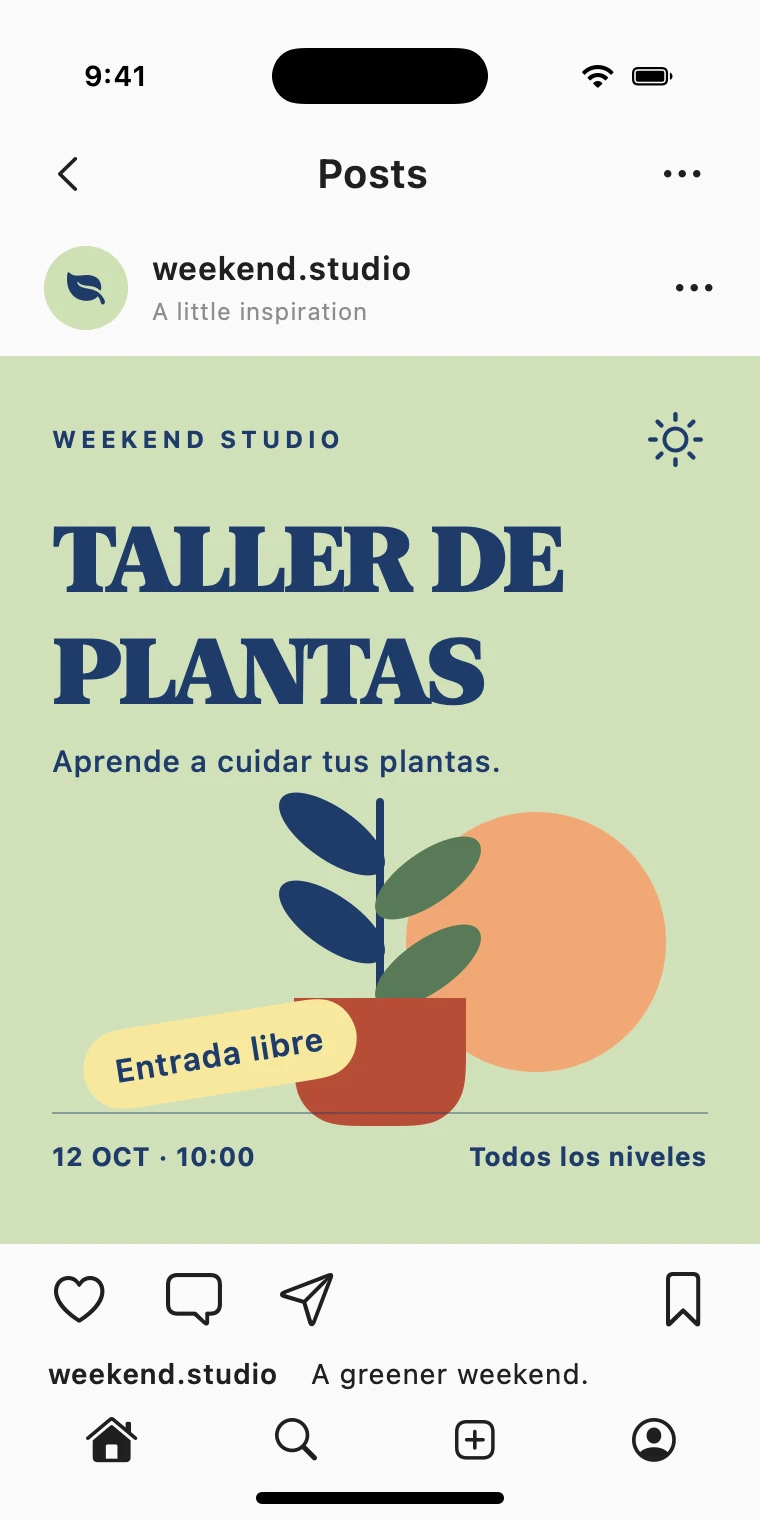
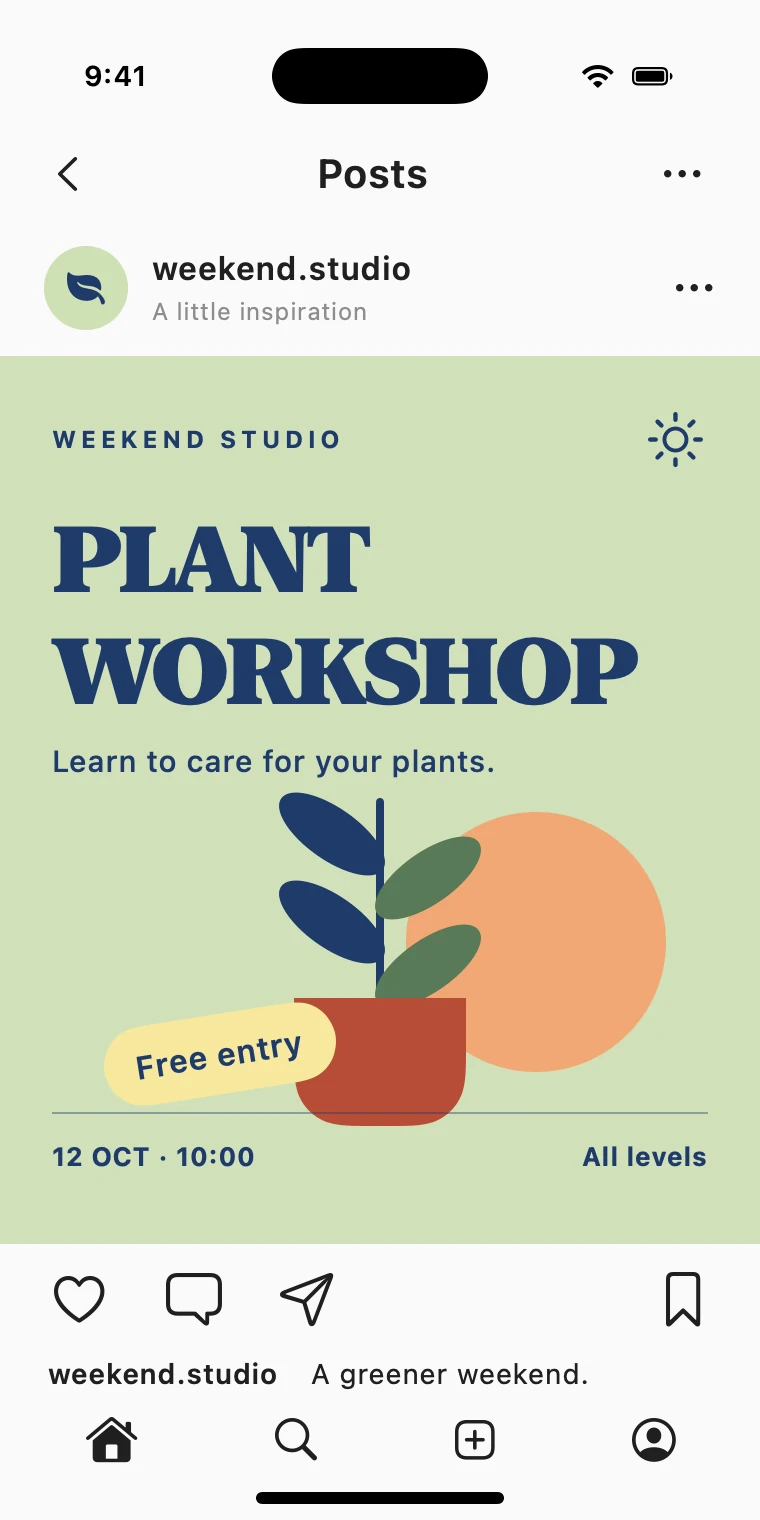
Text size, spacing, color, and angle all affect whether a translated image remains readable and recognizable. Iteration on the rendering focused on keeping the result closer to the character of the original.
The original and a prepared translation are shown below.
Built to keep improving
The app was released on the App Store and continued to evolve, with work on mixed-language screenshots, clearer setup, and translation display.
The project combines product direction, design, testing, and development.
A useful translation, in the place where it matters.